POS System
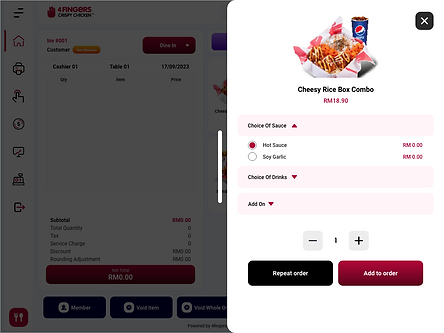
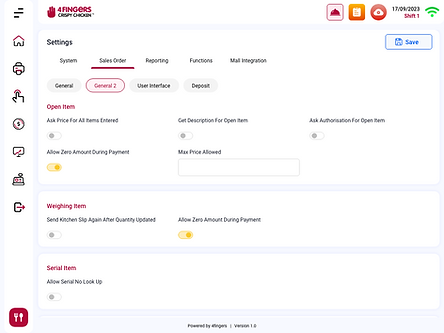
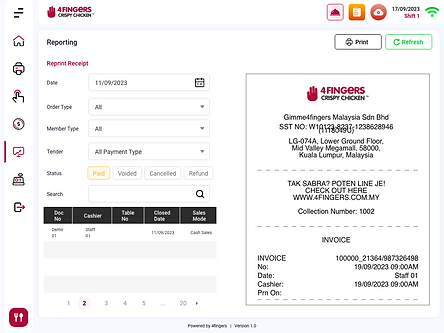
A modernized POS system designed to streamline retail and food & beverage transactions with an intuitive user interface and real-time data tracking.
Project Name: POS System for 4Fingers
Project Type: Client-Specific Development
Role: UIUX Designer
Tools: Adobe XD, Adobe Illustrator, After Effects
Durations: 4 months
Problem Statement
What was the challenge?
-
The existing POS system was outdated, slow, and lacked a user-friendly interface, causing inefficiencies in order processing.
-
Cashiers and waitstaff struggled with a complicated UI, leading to increased training time and order mistakes.
-
The system lacked real-time inventory tracking, leading to frequent stock mismanagement.
-
Payment processing was slow and lacked integration with modern digital payment solutions.
Who was affected?
-
Retail staff and cashiers, who faced difficulties with slow transactions and poor usability.
-
Store managers, who struggled with inventory and reporting inefficiencies.
-
Customers, who experienced longer waiting times due to slow order processing.
Project Goal:
-
Design an intuitive POS system that improves transaction speed and reduces cashier errors.
-
Implement real-time inventory tracking to prevent stock shortages.
-
Enhance the system’s compatibility with multiple payment gateways, including e-wallets and QR payments.
-
Create a responsive, user-friendly design that reduces staff training time.
Project Scope & Objectives
Project Requirements
-
Develop an intuitive POS system for retail and F&B businesses.
-
Improve usability with a simple, fast interface for cashiers and waitstaff.
-
Implement real-time sales and inventory tracking.
-
Integrate multiple payment options, including cash, credit cards, and digital wallets.
Stakeholder Expectations
-
Retail Owners: Require better sales insights and efficient reporting tools.
-
Cashiers & Staff: Need a system with minimal steps for faster order processing.
-
Customers: Expect seamless transactions with quick payment processing.
Technical Constraints & Considerations
-
Integration with existing backend inventory systems.
-
Compatibility with multiple devices and screen sizes.
-
Secure authentication and role-based access control.
Key Highlights:
-
Replacing outdated legacy POS systems with a modern, efficient solution.
-
Reducing transaction processing time and increasing customer satisfaction.
-
Customizing the POS system features to meet client-specific business needs.
UI Design & Prototypes